Blank prompt boxes are weirdly intimidating.
You may know exactly what kind of image you want: a sharp product shot, a cinematic portrait, a launch-day social post, a poster concept, maybe a logo direction for a new idea. But when it is time to describe that image in words, the first draft often comes out flat.
“Make a cool product photo.”
Technically, that is a prompt. In practice, it leaves too much up to chance.
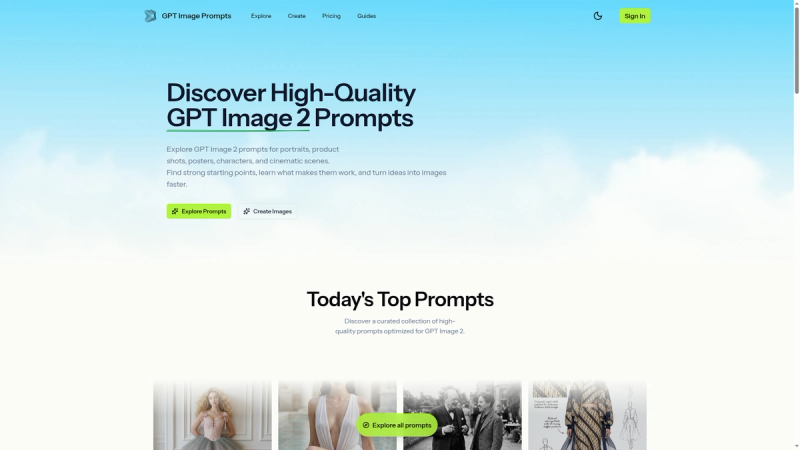
That is where GPT Image Prompts comes in.
GPT Image Prompts is a curated library of image prompts built for people who want stronger AI image results without rewriting every prompt from scratch. Instead of starting with a blank field, you can browse examples, copy one that is close to your goal, and adapt it to your own subject, brand, product, mood, or style.
It is simple by design: find a good starting point, change what matters, generate, then refine.
What You Can Find on the Site
The library covers the kinds of image prompts creators actually reach for:
Portraits
For creator headshots, editorial-style portraits, character concepts, fashion close-ups, founder images, and cinematic people-focused scenes.
Product Photography
For studio shots, ecommerce visuals, skincare bottles, packaging scenes, splash images, advertising-style compositions, and cleaner product hero images.
Logos and Branding
For brand mark concepts, minimalist identity directions, symbol explorations, and presentation-ready visual ideas.
Posters
For campaign art, event posters, movie-style key art, dramatic compositions, and title-safe layouts.
Cinematic Scenes
For story-led images with stronger mood, lighting, atmosphere, and environmental detail.
Social Visuals
For launch announcements, creator posts, branded feed images, thumbnails, and vertical content ideas.
Each prompt is written to be edited. You are not locked into the exact wording. If a prompt describes a skincare bottle, you can turn it into a coffee can, a SaaS dashboard mockup, a sneaker, a book cover, or whatever your project needs.
The value is in the shape of the prompt.
A Faster Workflow for Image Creation
The site works best when you use it as part of a quick creative loop.
First, browse the examples and choose the one closest to your visual goal. It does not need to be perfect. It only needs to be close enough to give you a useful base.
Next, copy the prompt and replace the subject, setting, brand cues, color direction, or mood. Keep the parts that describe composition, lighting, camera feel, and output quality.
Then generate the image and look at what happened. If the result is close, refine one piece at a time. Adjust the framing. Change the lighting. Make the background simpler. Add more product detail. Shift the mood.
That is much easier than rewriting the whole prompt after every attempt.
Over time, you also start to notice patterns. Strong prompts tend to describe the image in layers: subject first, then environment, style, light, composition, and final use. Once you see that pattern often enough, writing your own prompts gets easier too.